
6.8 How to set up the check-in screen at your door
A tablet at the door where the member scans their membership and sees if it's still current.
Web dashboard
-
1
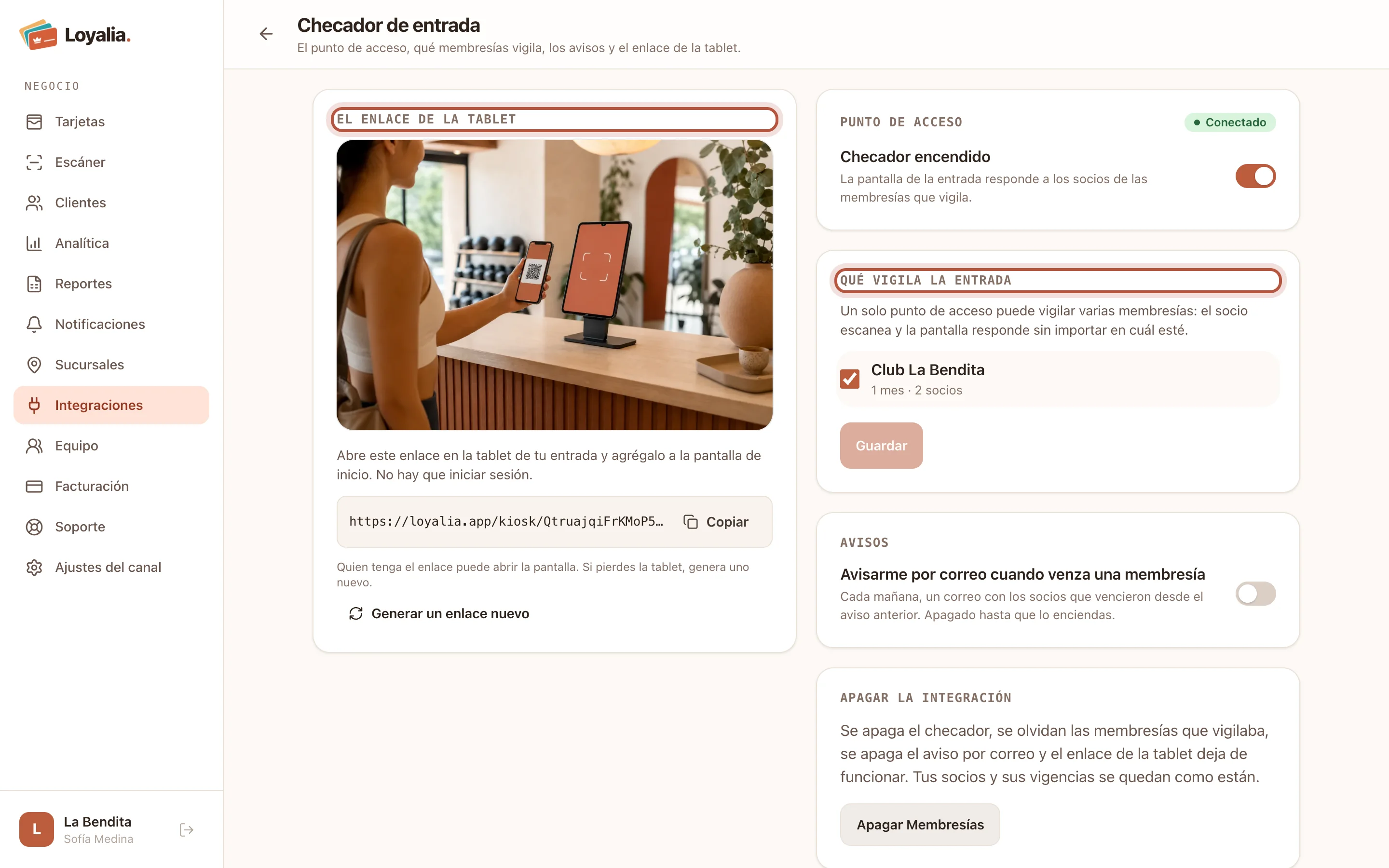
Open Integrations › Memberships › Check-in screen
Everything about the door check-in is here.
Web dashboard -
2
Choose which memberships it watches
In What the door watches tick your memberships and save. One screen can watch several.
-
3
Turn on the access point
Switch on Access point. You need at least one membership selected.
-
4
Open the link on the tablet
Under The tablet's link tap Copy and open it on the tablet at your door. It needs no username or password.
Anyone with that link can open the check-in screen. If it's shared by mistake, tap Generate a new link and the old one stops working.
-
5
Get alerts (optional)
Switch on Email me when a membership lapses to get, every morning, the list of members who expired.