
2.9 Card expiry and renewal
Decide whether the card expires, when, and what happens next.
Web dashboard
App
-
1
Choose the expiry
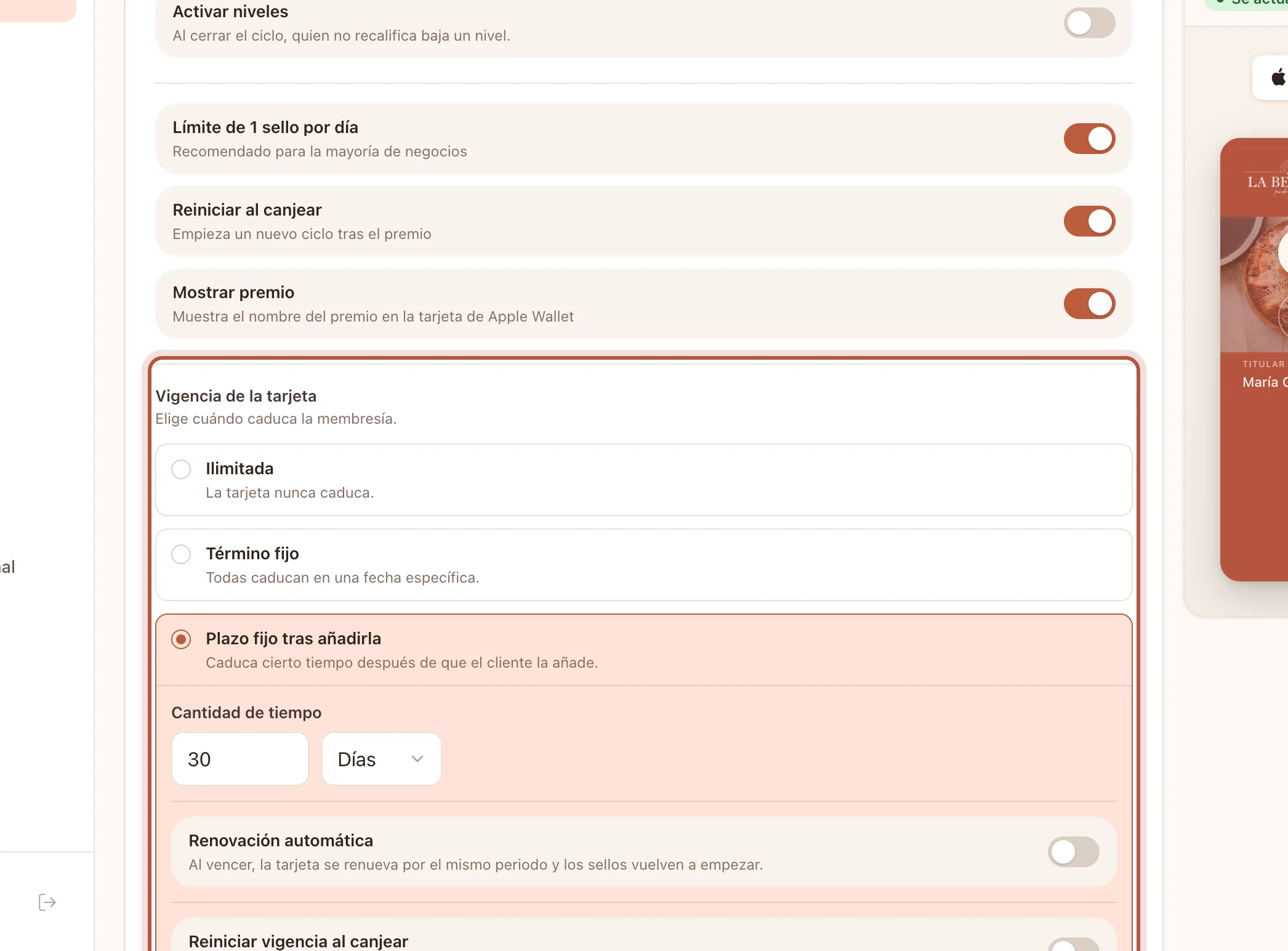
In Card validity you have three options:
- Unlimited: the card never expires.
- Fixed date: every card expires on a date you choose.
- Fixed term after adding: it expires some time (days, months or years) after each customer saves it.
Web dashboard -
2
Auto-renewal
With Fixed term after adding, you can switch on Auto-renewal: when it expires, the card renews for the same period and the stamps start over.
A fixed date can't renew, because every card expires on the same day.
-
3
Restart validity on redeem
When the last reward is redeemed, the card starts over and the expiry counts again from that day. It rewards whoever completes the card with more time.
-
4
Warn before it expires
In the Notifications step you can let your customer know when their card is about to expire and when it has expired (2.13 How to set up automatic notifications).