
2.19 How to see your card's customers and results
How many customers you have, how many visits and rewards, and who's close to a full card.
Web dashboard
App
-
1
Open your card
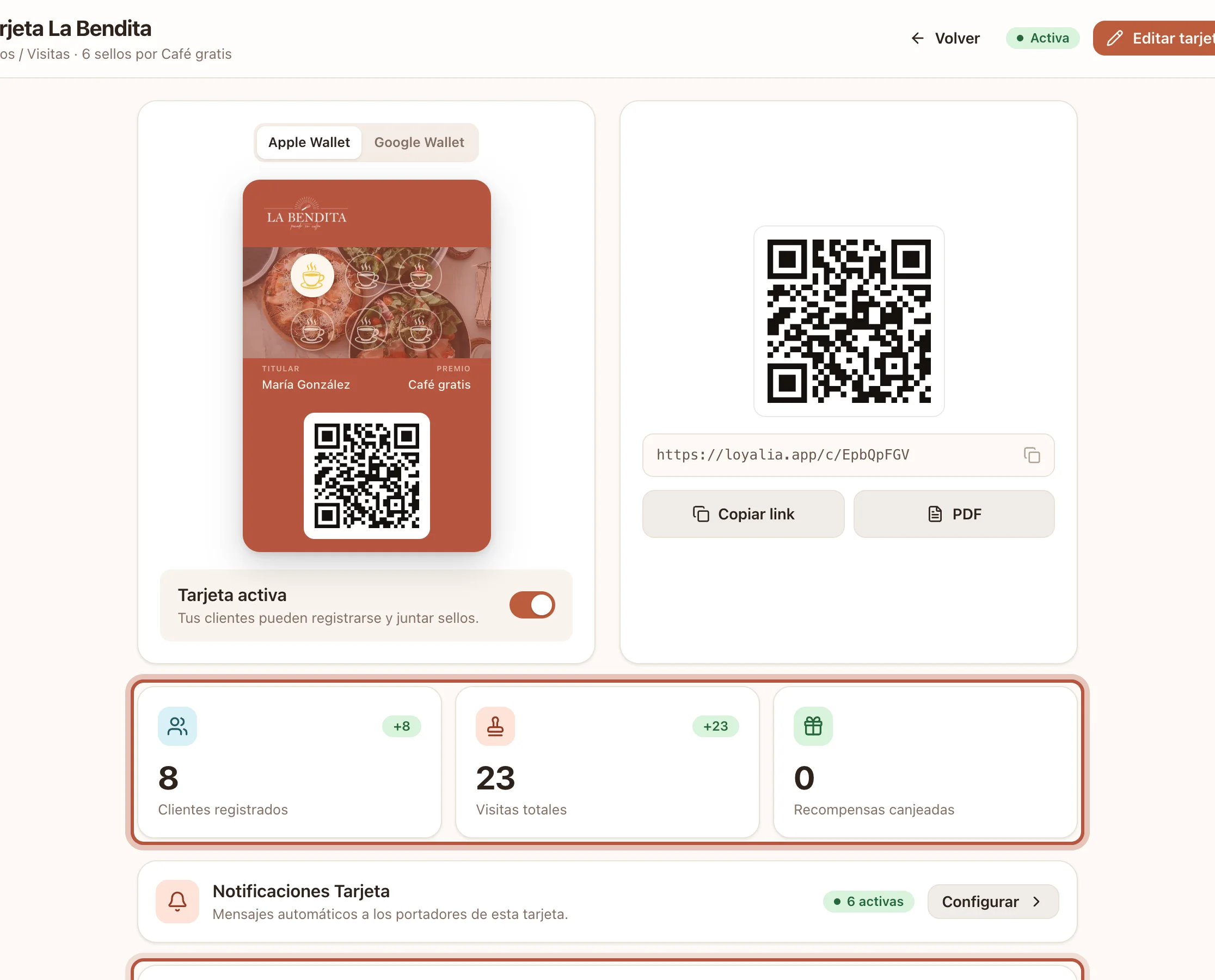
In Cards tap your card. At the top you see Registered customers, Total visits and Rewards redeemed.
Web dashboard 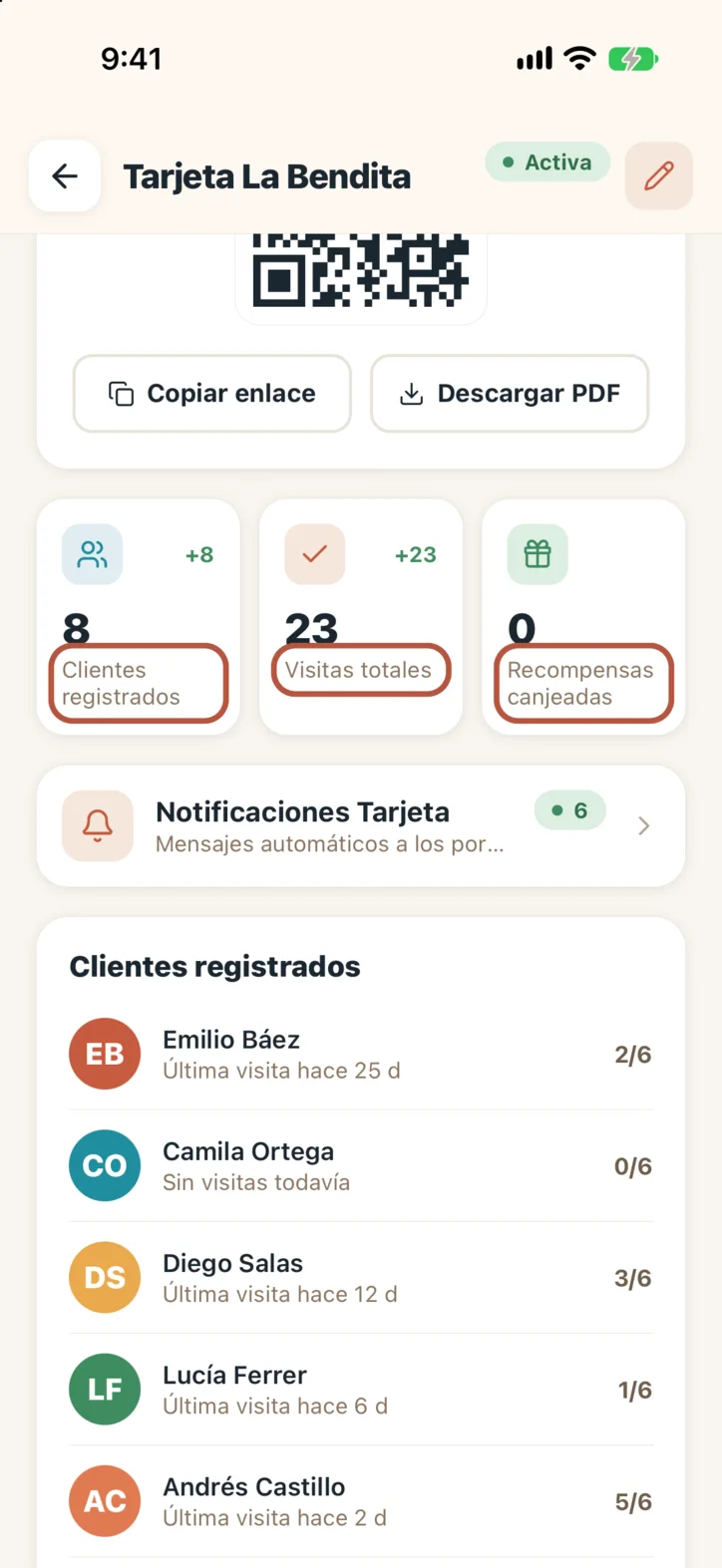
App -
2
Look at your customers
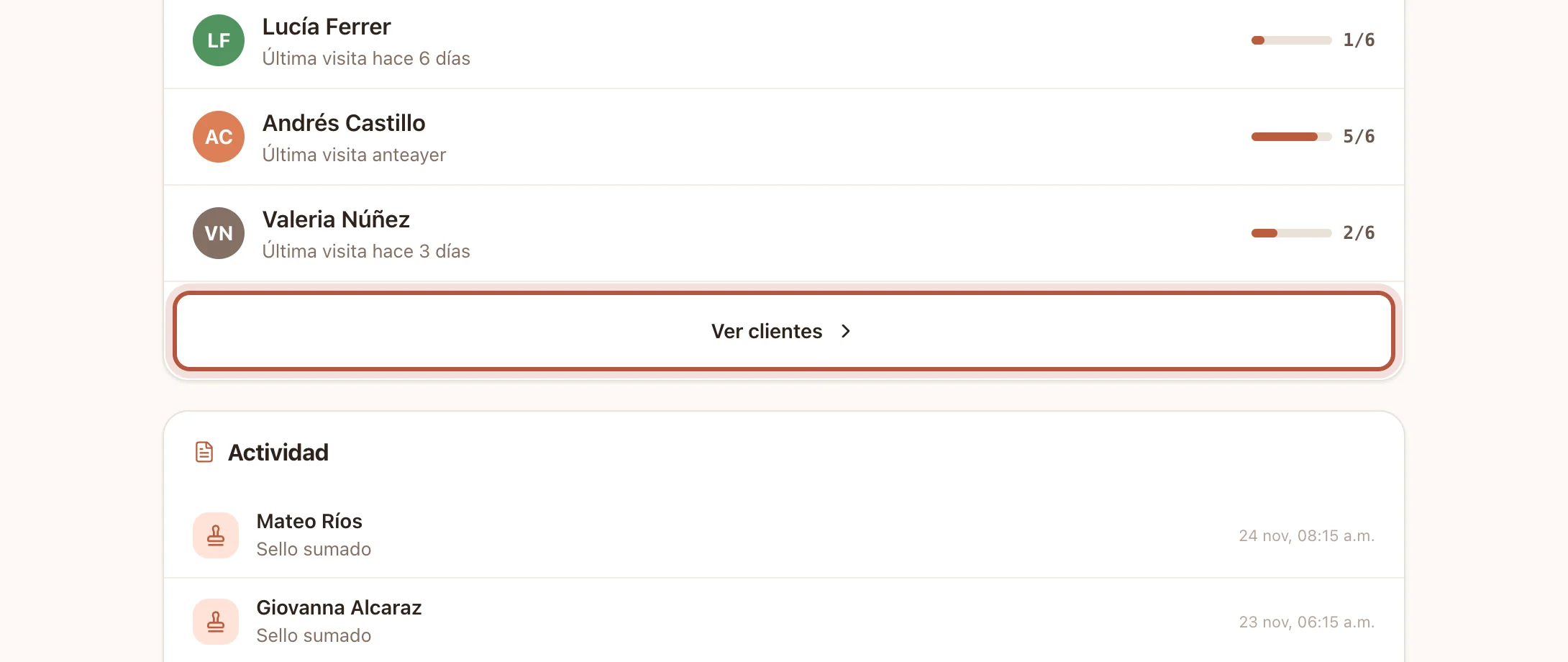
In Registered customers you see when each one last came and how many stamps they have. Tap View customers for the full list.
Web dashboard -
3
Look at the activity
Activity lists every stamp and every redemption, with its date and time.