
2.3 How to give several rewards on one card
For example, a free coffee at 6 stamps and a dessert at 10.
-
1
Add another reward
In the Information step, under your first reward, tap Add reward. Write the new reward and how many stamps it takes.
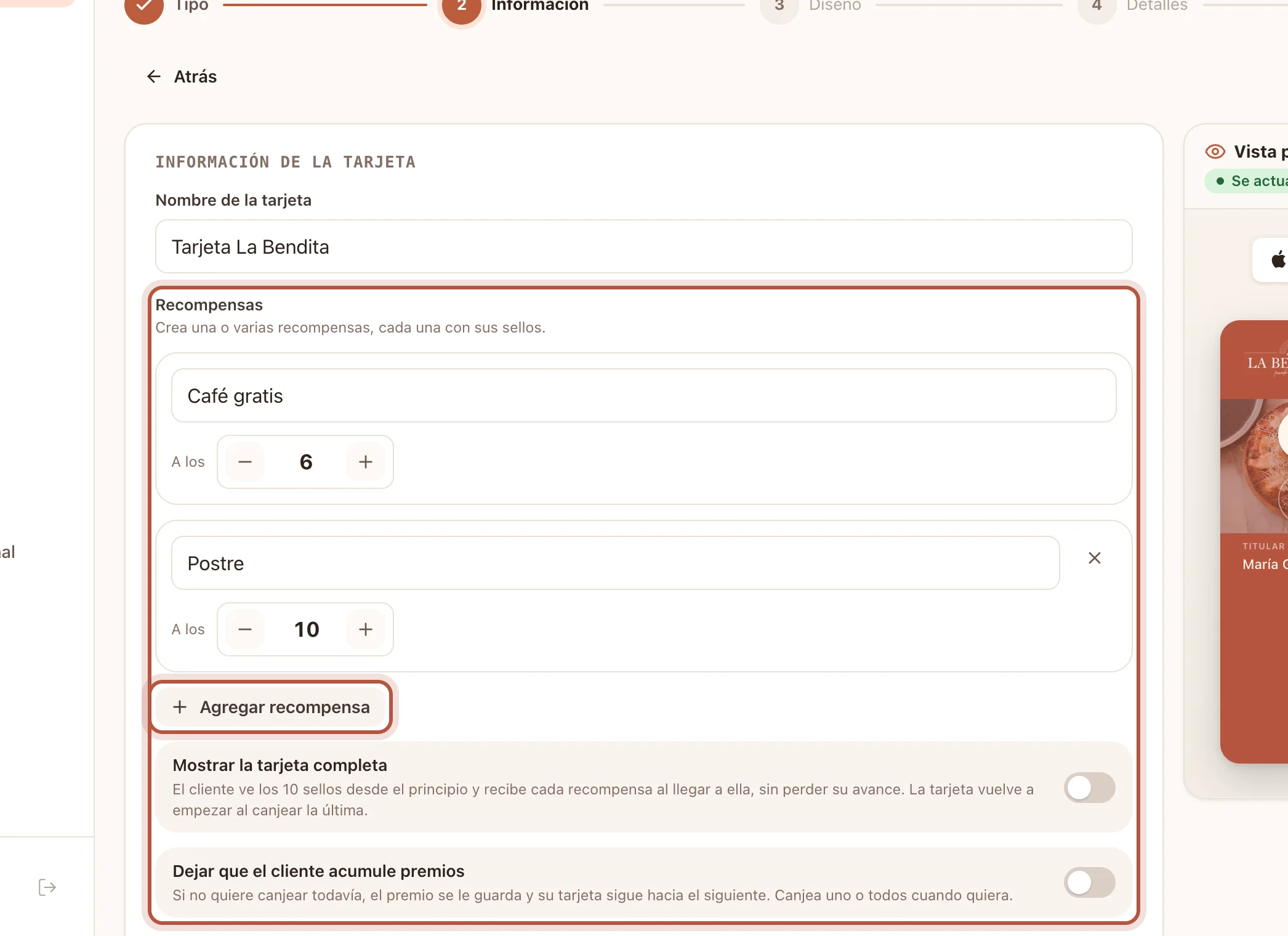
Web dashboard There can be up to 21 stamps between one reward and the next.
-
2
How your customer moves forward
Your customer only sees the next reward on their card. When they redeem it, the card moves on to the following one: first the coffee, then the dessert.
-
3
Choose how they're shown
With several rewards you get two more options: show every stamp from the start (2.4 How to show the full card) and let the customer keep rewards for later (2.5 How to let customers stack rewards).
-
4
Remove a reward
Tap the remove icon next to the reward you no longer want and save.
If your card already has customers, the change reaches all of them. Read 2.20 How to edit a card that already has customers first.