
3.4 How to log a purchase and give cashback
Enter the amount and your customer gets their balance right away.
Web dashboard
App
At the register
-
1
Scan your customer's card
In Scanner, tap Turn on camera and point it at the QR, or look them up in Search customer. You'll see their card and balance.
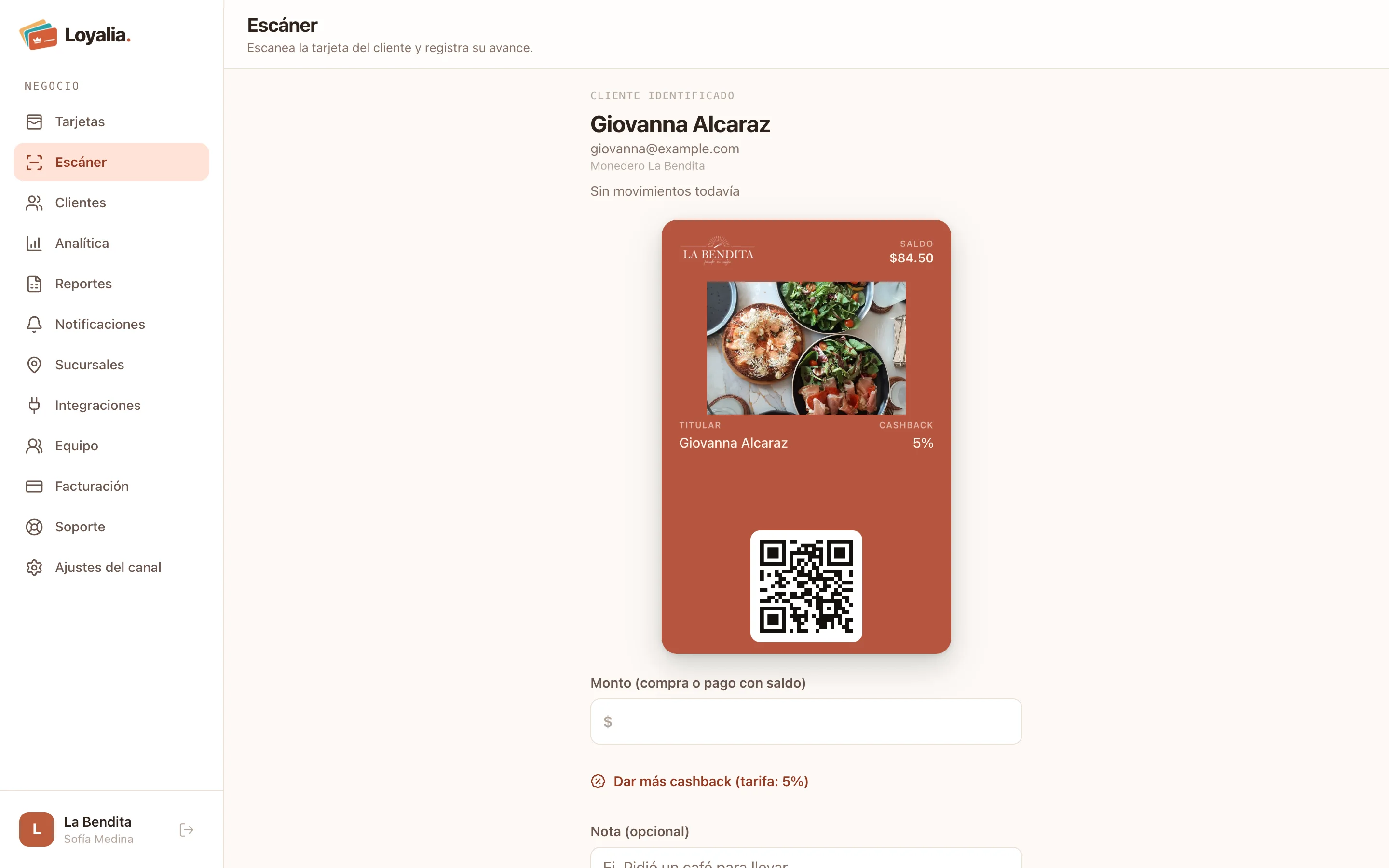
Web dashboard -
2
Enter the purchase amount
In Amount (purchase or balance payment) enter what they paid. Loyalia shows how much cashback they'll get before you confirm.
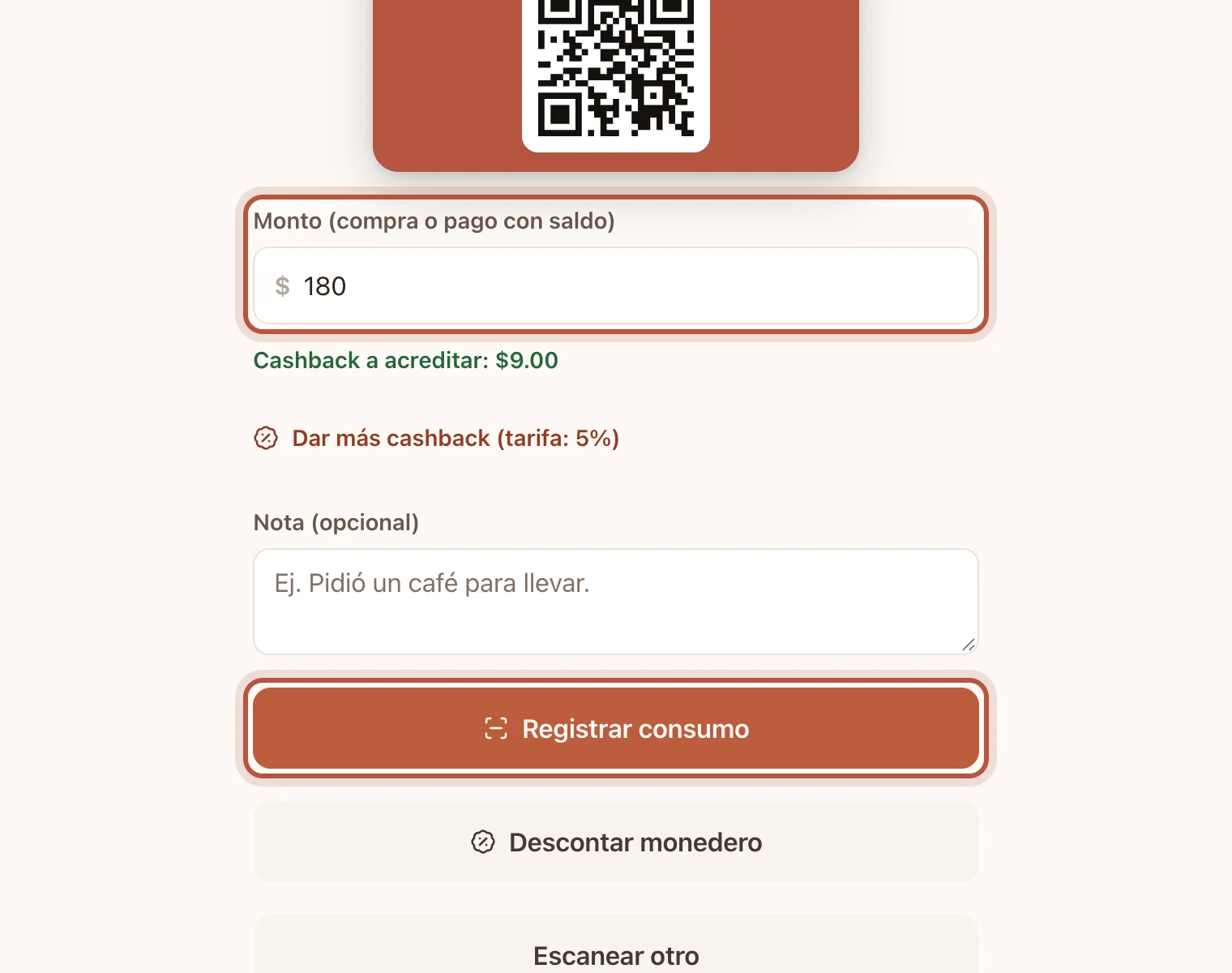
Web dashboard -
3
Tap Log purchase and confirm
Your customer gets their balance and a notification with what they earned.
You can require each person on your team to always enter a note. It's set in 7.2 Permissions: what each person can do.