
7.1 How to add someone to your team
Create their username and password in a minute.
Web dashboard
App
-
1
Open Staff and tap Add
In the left menu go to Staff and tap Add.
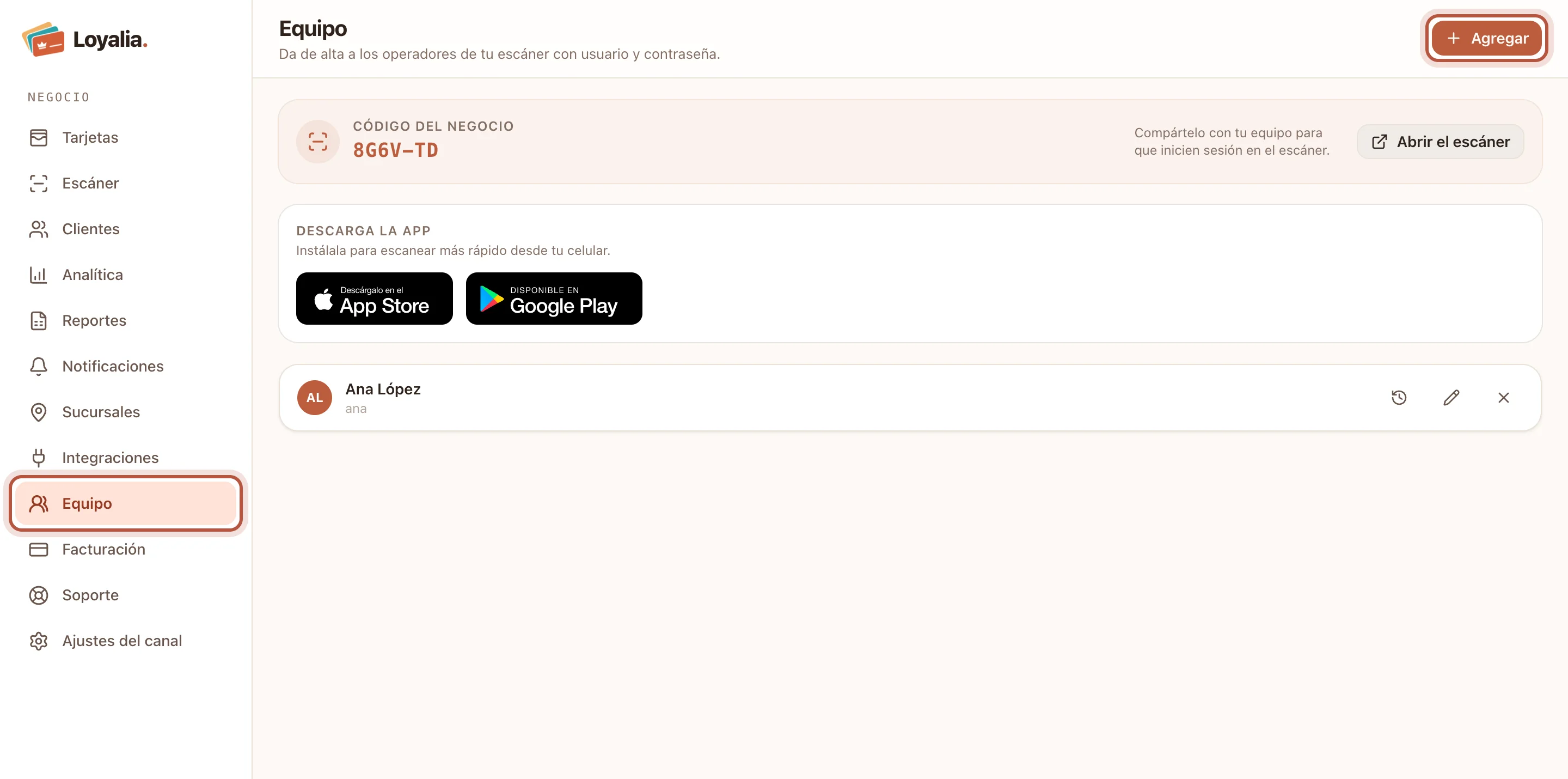
Web dashboard 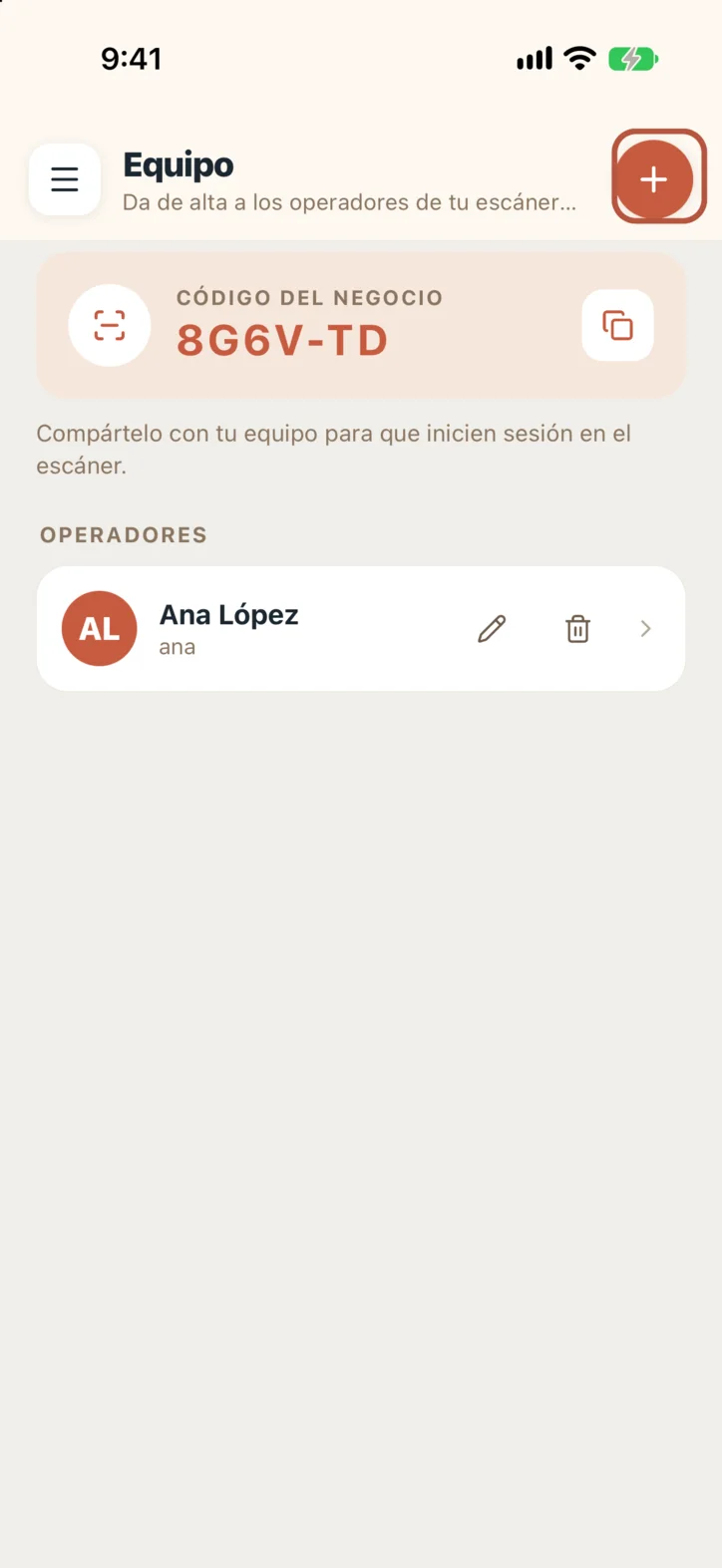
App -
2
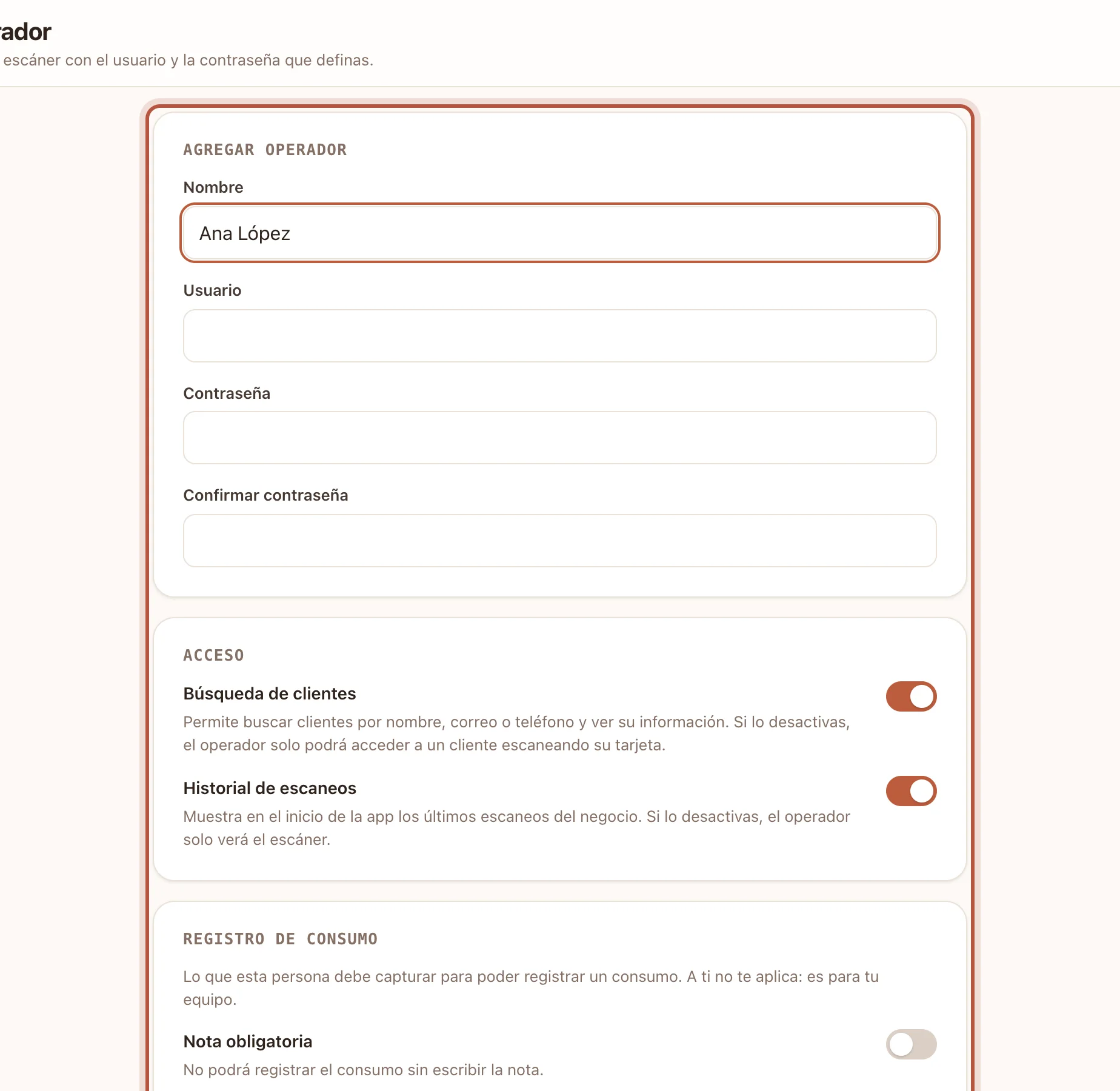
Enter their login details
Their Name, a Username (for example "ana") and a Password. That's what they'll use to get into the scanner.
Web dashboard -
3
Choose permissions and cards
Review their permissions (7.2 Permissions: what each person can do) and tap Add operator.